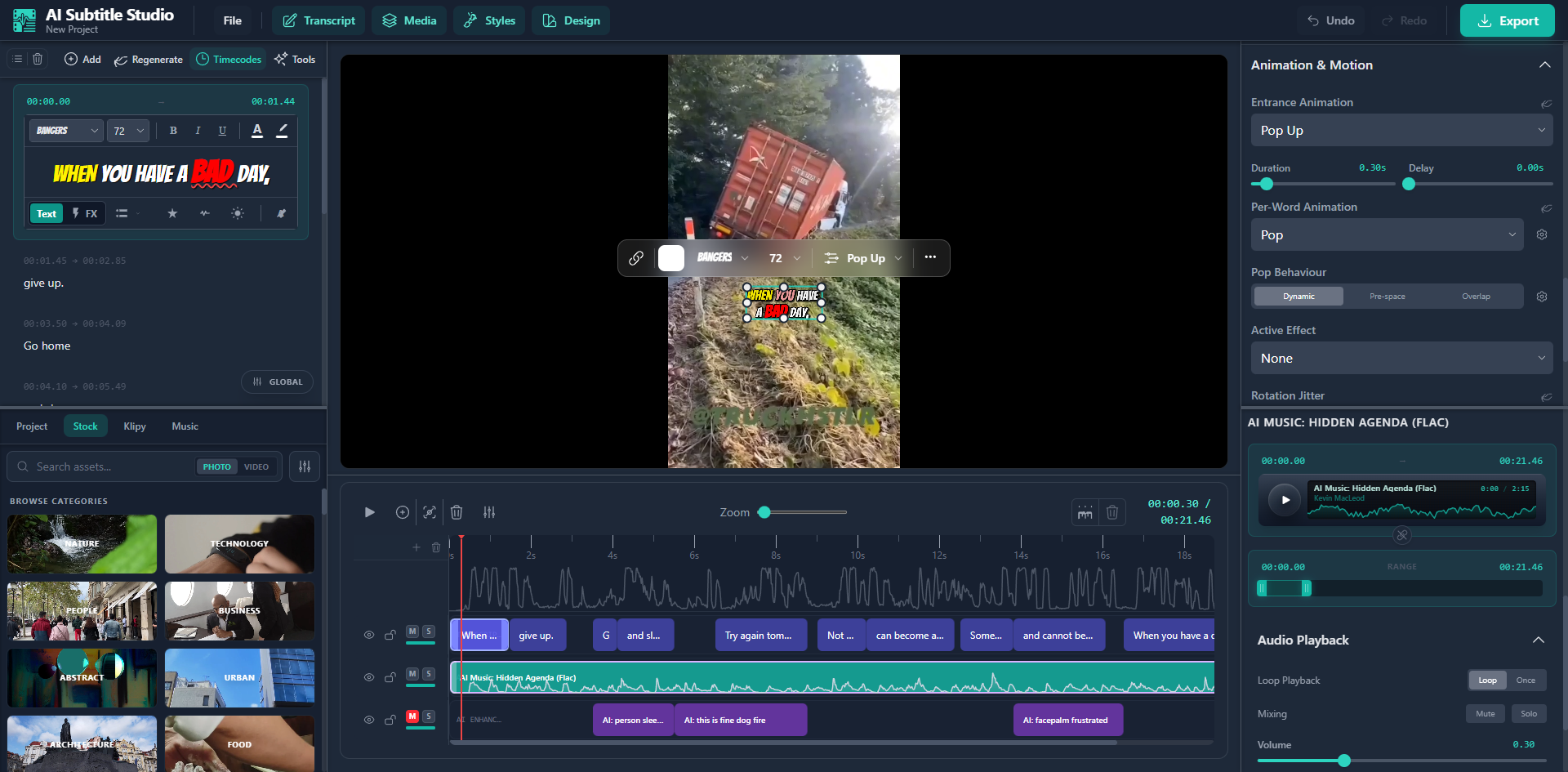
Automated transcription, semantic subtitle styling, stock footage and splicing, harnessed in a full editing suite running entirely in your browser.
Turn hours of editing into minutes. AI handles transcription, styling, B-roll, and music. You just approve.
Viral subtitle styles, karaoke word-highlighting, auto-emoji, and semantic emphasis. Professional polish, minimal effort.
80% of mobile video is watched on mute. Good subtitles are the difference between scroll-past and watch-through.
AI Auto Enhance
Auto-Enhance watches your video with multimodal AI and builds the edit for you: B-roll footage, reaction GIFs, background music, and animations generated with the Remotion engine. Choose a style and hit go.
AI fetches relevant stock footage from Pexels and inserts it at semantic breakpoints. Control density (sparse to dense) and relevance style (literal, thematic, abstract, or ironic).
Pulls reaction, meme, and illustrative GIFs from Klipy, placed as fullscreen cutaways or picture-in-picture overlays. Timed to punchlines and emotional beats.
CC-licensed tracks from Pixabay and Archive.org, matched to your content by genre and energy level. Handles volume ducking, fade-ins, and placement.
AI generates animated overlays (text callouts, counters, shape animations) as React components, rendered with spring physics and easing curves.
10 curated enhancement styles
Multimodal AI
Semantic Highlighting reads your video, your vocal emphasis, and your emotional tone at the same time. Then it picks out the words that matter most in every sentence: the action verbs, the key nouns, the contrasts, the punchlines.
When you have a BAD day,
don't just give up. 💪
Go home, rest, and try again. 🔥
AI Splicing
AI finds and cuts the silences, the filler words ("um", "uh", "like"), the false starts, and the tangents. Your hook stays intact, and every cut lands on a natural edit point.
And More
Parakeet TDT V3, frequently rated #1 on the Hugging Face ASR leaderboard, runs entirely in your browser, able to transcribe minutes of audio in seconds with Word-level timestamps. Otherwise, utilise our cloud AI models for consistent and accurate outputs.
Spotify-style word wipes, pop animations with spring physics, or simple color highlights. Each word lights up as it's spoken.
Describe an animation in plain English. AI generates a React component with spring physics, easing curves, and auto-created UI controls.
Intuitive subtitle editing, just like you would in a word processor. Bold, italic, fonts, colors, sizes, and highlights all work per-word. Switch to FX mode to add karaoke wipes, pop, shake, and glow effects.
Batch-translate all subtitles at once. Word-level timestamps are preserved and redistributed to translated text automatically.
Render video with burned-in subtitles via WebCodecs, or export clean SRT/VTT files. Supports MP4, WebM, and MOV up to 4K.
The Editor
Frame-accurate clips, visual waveforms, drag-to-trim. Subtitles, media, and design layers all live on the same timeline.
Edit subtitles the way you'd edit a document. Full formatting toolbar with per-word font, color, size, and highlighting. FX mode adds karaoke wipes, pop, shake, and glow when each word is spoken.
Pexels videos, Klipy GIFs, and Pixabay music. 21 content categories you can browse and drop straight onto your timeline.
How It Works
MP4, MOV, or WebM. You can also browse stock footage from Pexels. Nothing gets uploaded to our servers.
AI transcribes, styles subtitles, inserts B-roll, adds music and GIFs, removes dead air. Pick a style and go.
Render up to 4K with burned-in subtitles, or export SRT/VTT. Upload to YouTube, Reels, TikTok.
Pricing
No credit card. No trial expiry. Upgrade only when you need more.
No account needed
For content creators
For power users
Professional subtitled content in minutes instead of hours. Free to start, no credit card required.